
I spent 30 days wearing Google’s $99 Fitbit Air—it only let me down in 2 ways
Google’s affordable wearable tracks sleep, heart rate, blood oxygen, and workouts remarkably well, but buyers should understand where it falls short before purchasing.

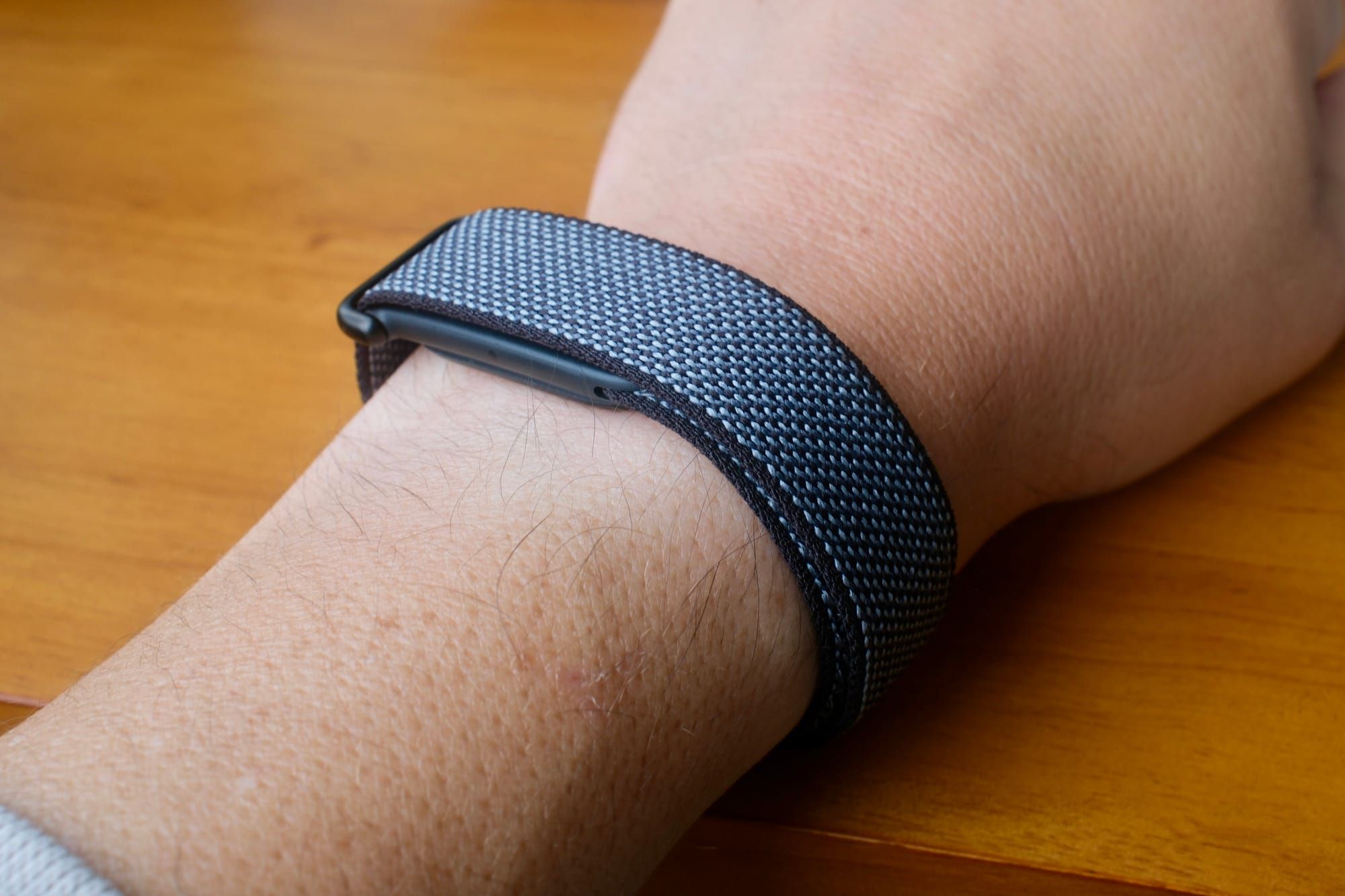
Google’s Fitbit Air is a $99 screenless fitness tracker. It monitors sleep, blood oxygen, heart rate, VO2Max, and all kinds of activity metrics. Its low price and distraction-free health tracking make it a compelling way for people to keep tabs on their body.
I’ve spent over 30 days wearing the wristband, comparing it to an Oura Ring and an Eight Sleep mattress pod. I was surprised to see all of these devices collect comparatively accurate data. Ultimately, the Fitbit Air surprised me with how useful it was.
Partly, that’s because the Fitbit Air is by far the cheapest way to monitor your health and fitness of the bunch. You can add a Google Health Premium subscription for AI coaching, but the device doesn’t require it.
After 30 days of constant use, I largely feel the way I did in my initial review. This tracker is great. But you should be aware of two specific things. The first was around sleep tracking, and the other was what I found for daily running.
The Fitbit Air is great to wear during the day, but I hated it at night
I had no problem wearing the Fitbit Air on my wrist all day. In fact, most of the time it disappeared. It’s lightweight and fairly unobtrusive. Unfortunately, I hated wearing the band during the night to track my sleep.
I just don’t like wearing devices on my body throughout the night while I sleep. I’ve never liked wearing an Apple Watch or a Whoop band. If you’re in the same boat, then the Fitbit Air probably won’t be ideal for you.
The problem is that if you want Google’s AI coaching assistance, it needs to know how long and how well you slept to be able to make recommendations about the other areas of your health and fitness.
On the opposite side, if you don’t have any aversion to wearing bands on your wrist, the Fitbit Air should be a solid way for you to track sleep. It knew when I got up to go to the bathroom. It also kept close tabs on when I actually fell asleep and woke up.
For me, the best middle ground between form factor and cost is the Oura Ring. The older Ring 3 or 4 may be chunkier than the newest Ring 5, but it’s still minimal enough that it doesn’t bother me during the night. While the Eight Sleep might be the least obtrusive with nothing to wear, it costs several thousand dollars.

The Fitbit Air can track workouts closely, unless you care about every second
During my first 30 days with the Fitbit Air, I ran with it for 28 of them—around 100 miles. I never specifically started a workout on my phone because I don’t take my phone running. Instead, I just let it auto-detect the activity.
It correctly detected my running every single time. Not only did it detect the workout, but it also did well automatically detecting the start and stop times. The start times were usually within 30 seconds of when I started a workout on my Apple Watch Ultra 3. The end times tended to be less accurate and varied up to 60 seconds or so.
This is great news for casual runners or walkers. Auto detection works about as well as you could hope. And since the Fitbit Air doesn’t have any buttons or ways to trigger a workout from the device itself, you’ll need to rely on auto detection most of the time.
For me, however, the 60 to 90-second variance is enough to move my pace from around 8:35 to 9:10 a mile. I often went into the Google Health app and adjusted the start and stop times to match my Apple Watch. But even that didn’t completely work since it only lets you select times in one-minute increments—not per second.
For people seriously training and using Google’s AI coach to help them, having pinpoint accuracy in this department is important. For example, when it thought I ran a 9:09 mile, it would give me advice to take it easy the next day. But after I changed the time to be the faster, more accurate time, it would congratulate me for keeping pace.
Be aware, there is no GPS in the Fitbit Air, so if you want route tracking, then you’ll need to keep your phone on you while doing a workout.
What about the different Fitbit Air bands?
There are several bands you can get for the Fitbit Air. The default fabric band feels nice and is easy to adjust. Be aware that it will stay damp if you sweat in it or take a shower with it on.
The active band is all rubber and the one I ended up using the most. It was just as comfortable as the fabric one, but it didn’t stay damp.
As far as the elevated modern band goes, I expected to like it the most and ended up not liking it at all. It has a clever hooking mechanism and a nice finish, but it didn’t sit flush and had a bulge to it.
Is the Google Fitbit Air worth buying?

Despite some of these drawbacks of the Google Fitbit Air in daily use over the course of a month, I think it’s a terrific product overall. Its low cost makes it a stellar value for people who want a distraction-free way to keep track of their health.
The battery usually lasted seven to nine days, wearing it 24 hours, before I needed to charge it. It lived up to its claims in this area and even exceeded them in my testing. There just isn’t too much to complain about the Fitbit Air, beyond my personal hang-ups about wearing it while sleeping.
As far as paying $99 per year for Google Health Premium to get AI coaching, that will depend on how much you actively ask it questions and probe it for action plans and deeper info. It’s certainly compelling. For example, I told it to incorporate that I drink 10 ounces of coffee around 7:30 AM when looking at my data. It never forgot that and used that information going forward. You can freely test the AI coaching for yourself during your free trial.
I wouldn’t replace an Apple Watch with the Fitbit Air, since the device can’t offer notifications, a clock, or start and stop workouts. But I would highly recommend it to anyone who doesn’t want to fiddle with a smartwatch. It’s a great alternative and a simple wearable.