
Boox Picco review: I tested this tiny e-reader, and now I want to take it on every trip
This E Ink reader is small enough to fit in my jeans pocket, making it an ideal travel companion for reading on the go.

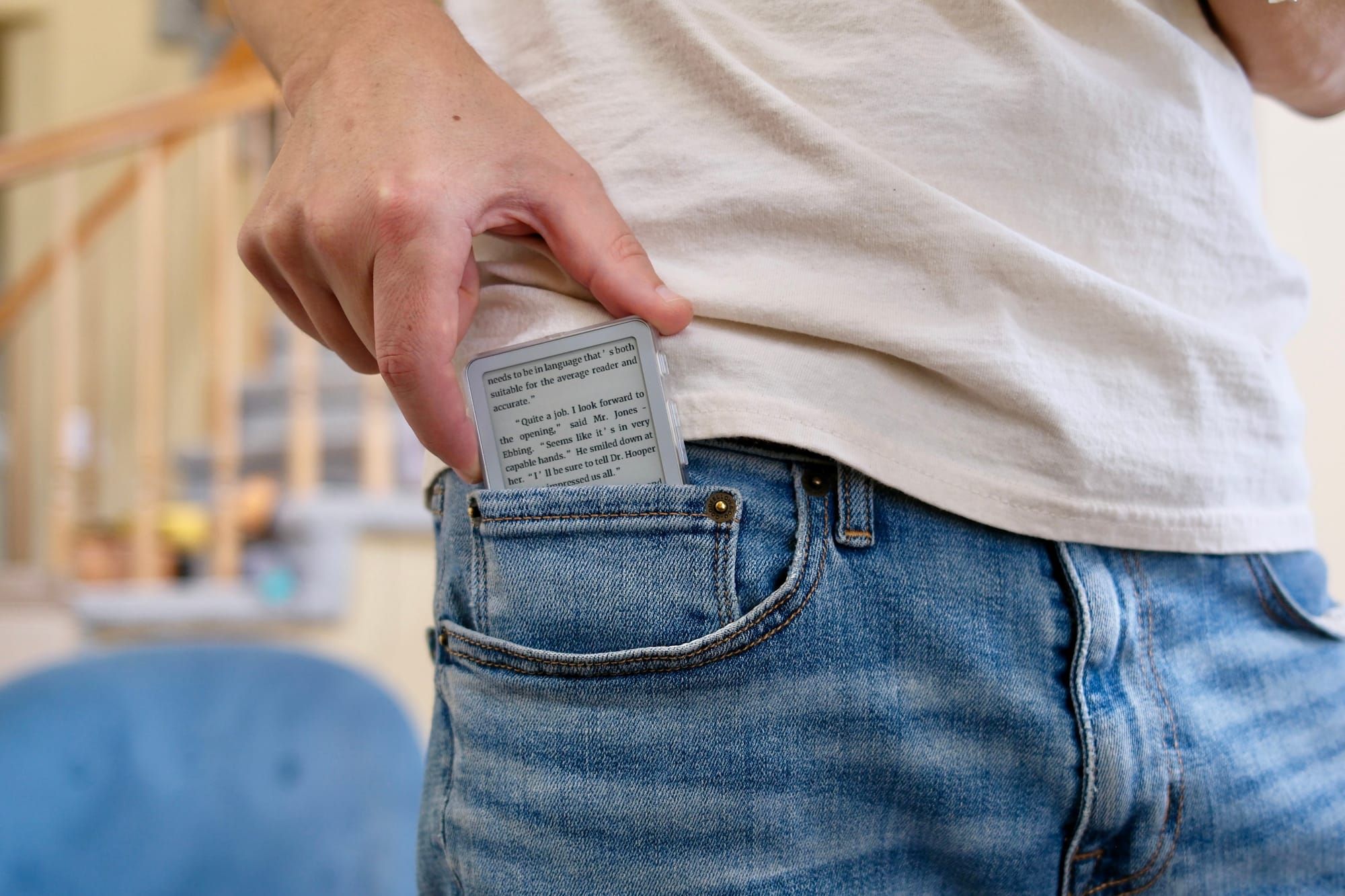
Kindle and Kobo E Ink devices might be the most popular devices for reading ebooks, but they aren't the only way. Companies like Xteink and now Boox are staying competitive by making small and unique e-readers. The Boox Picco is the latest one with a 3.97-inch paper-like screen. It's so small that it fits in my tiny jeans front pocket.
Amazingly, these devices with roughly 4-inch screens are still legible and easy to read books on. Plus, having an E Ink screen helps with eye fatigue. The limited functionality benefits distraction-free reading.
I've tested all of the Xteink models this year. They're a good option, especially if you can find one you like on sale. But now that I've spent some time with the Boox Picco, I think it might be my favorite small book reader. Here's what you need to know about this device if you think it could be your next airplane or beach buddy.
Boox Picco hands-on
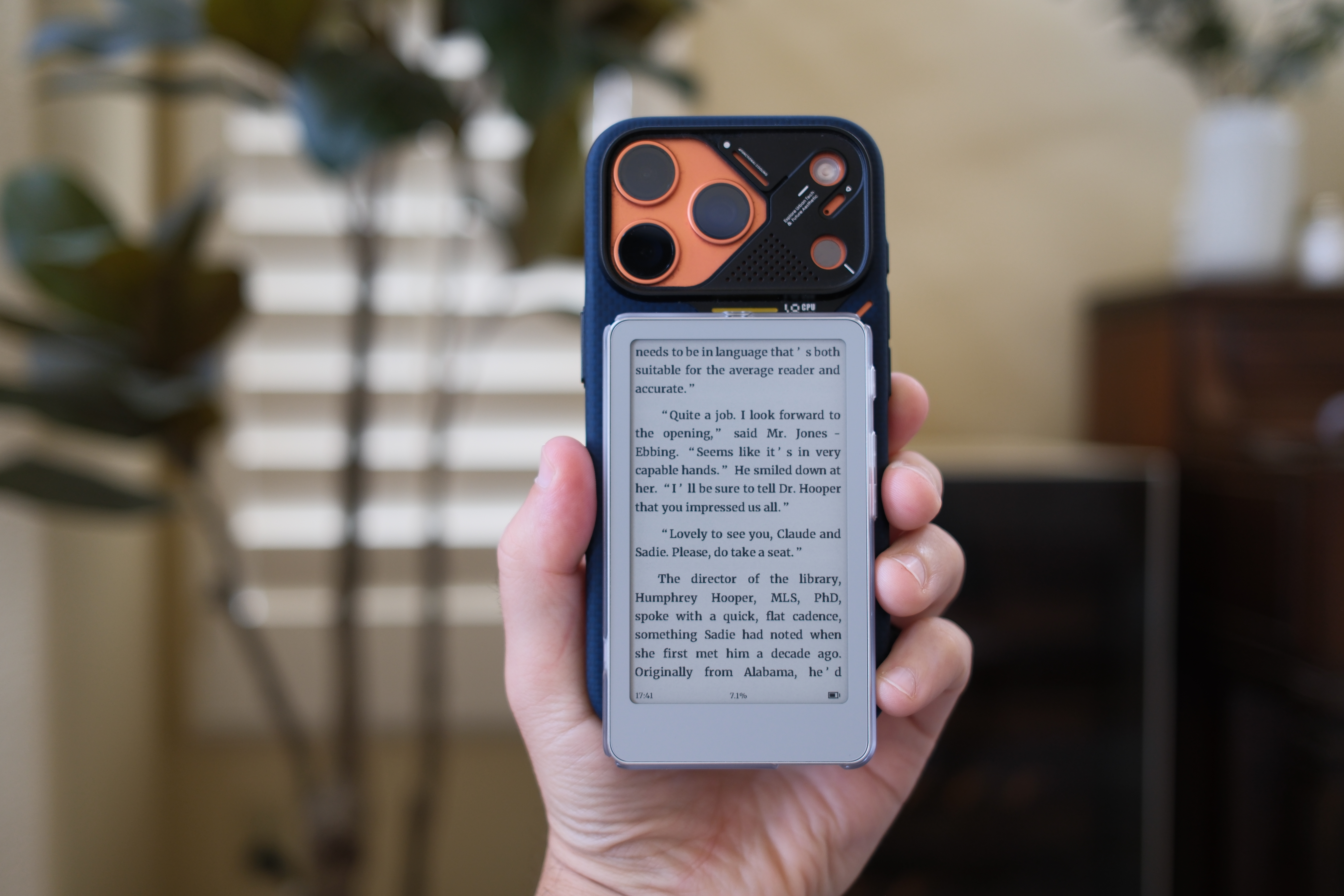
The highlight of the Boox Picco is its pocketable 3.97-inch E Ink display. It can be tucked away in nearly any pocket or purse. That's what makes it so useful while traveling or just for leaving the house. A 6- or 7-inch Kindle isn't huge, but it still might not be as inconspicuous to bring on the train or to the doctor's office.
For anyone curious about the exact specs, it measures 105.5 by 62 by 5.5mm. It weighs 58 grams. The screen has a resolution of 480 by 800 with a 235 PPI. The battery capacity is 920 mAh.
The Picco has an adjustable front light that ranges between cool and warm temperatures. While the lighting overall is about the same as the Xteink X4 Pro, I have found the Picco to be a tad brighter and to be able to get warmer, with its orange glow, than the X4 Pro. This will make it more pleasant to use in the dark.
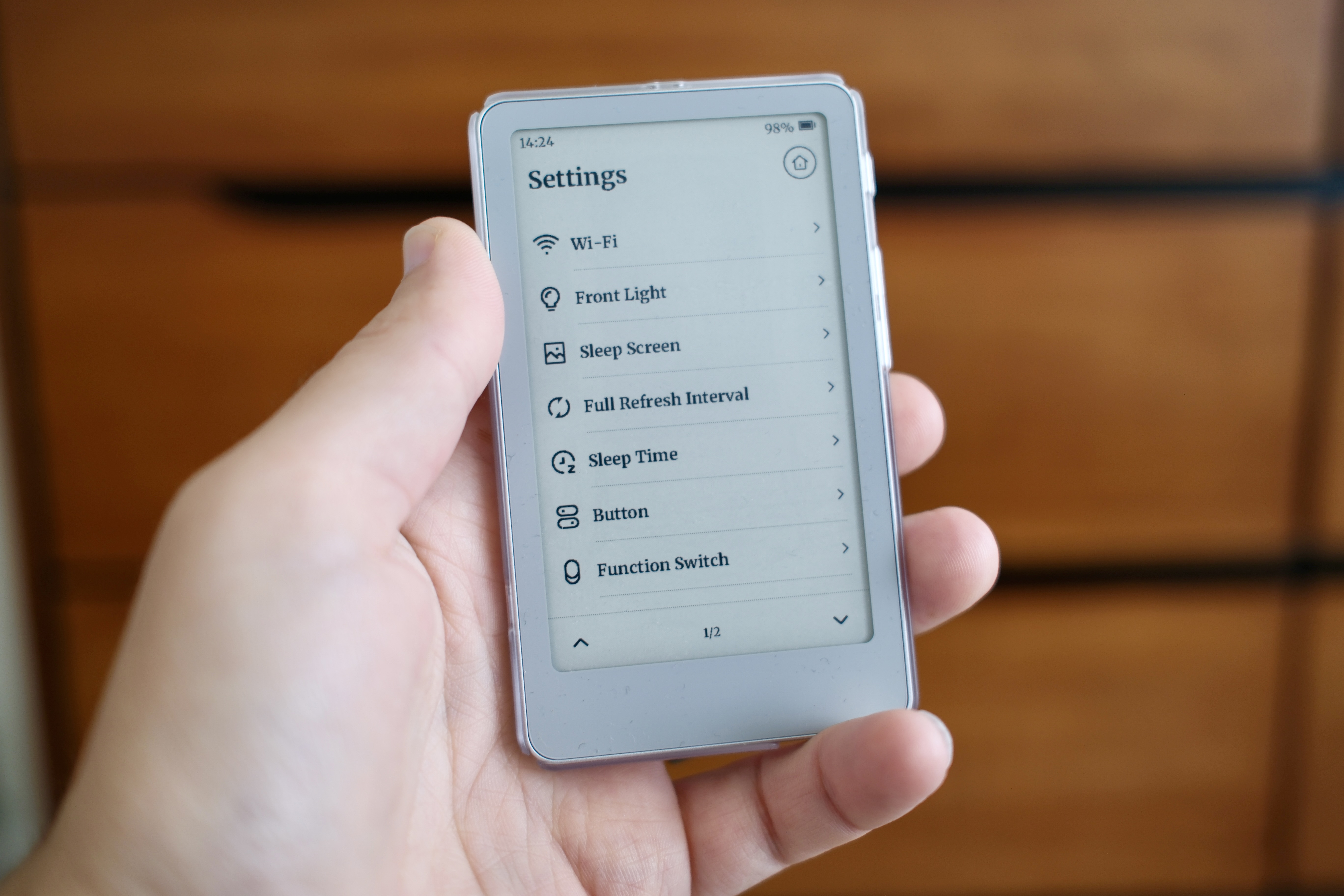
The light can be controlled with the hardware switch on the left side of the device. It's super easy to switch on or off. But if the light is less important to you, then you can assign the switch to be used for night mode. This inverts the book text to be white on black, instead of black on white.
Probably the most important hardware feature of the Picco is its USB-C port—something the X4 Pro lacks. The port can be used for charging or data transfer. There's also a microSD card slot that comes with a 16GB card. That should be enough for hundreds or thousands of books. But if it's not enough space, the Picco can support up to 2TB storage cards.
What you need to know about a tiny e-reader
You'll start to see more of these smaller e-readers around in the coming months and years. There are a few underlying reasons, but ultimately I think it's exciting because it's a new kind of reading device we haven't seen before. It enables all kinds of uses while traveling.
There are some things you need to know about it as it pertains to actually reading. The primary thing is that it doesn't have native access to the Kindle or Kobo bookstores. You'll need to find public domain books or access ones you've obtained in other ways.
The Picco does have a built-in bookstore, but it only features classics like The Odyssey, Pride and Prejudice, and Sense and Sensibility, among others. You can get a peek at those online: https://www.booxtiles.com/tabs/library.
If you have EPUB or other supported book files, it's very straightforward to send them to the Picco. You can do so through a direct USB-C cable connection or wirelessly using Boox's syncing service—or direct Wi-Fi.
Technically, there are other "apps" on the Picco, but they only consist of a few things like a timer and a to-do list. This device is built around reading, so that's why you should consider buying it.
You can transfer your own pictures to the device to use as screensavers and wallpaper. Or you can use the built-in ones. There are plenty.
The battery life will vary depending on how you use the reader and how much you use it. For example, having the light turned on at full brightness will consume more power than with the light off. Also, the number of times the screen refreshes with page turns will affect the battery life.
It's hard to give any guidance around battery for those reasons. But in my own use, I've typically come to expect around 10-14 days. I've had other Boox devices last in standby mode for more than six months.
So, even if you're an avid reader, I wouldn't worry about needing to charge it more than once a week. Thankfully, there is a USB-C port. Any cable, like the one you might use for your phone or laptop, should work for this device.
Should you buy the Boox Picco e-reader?
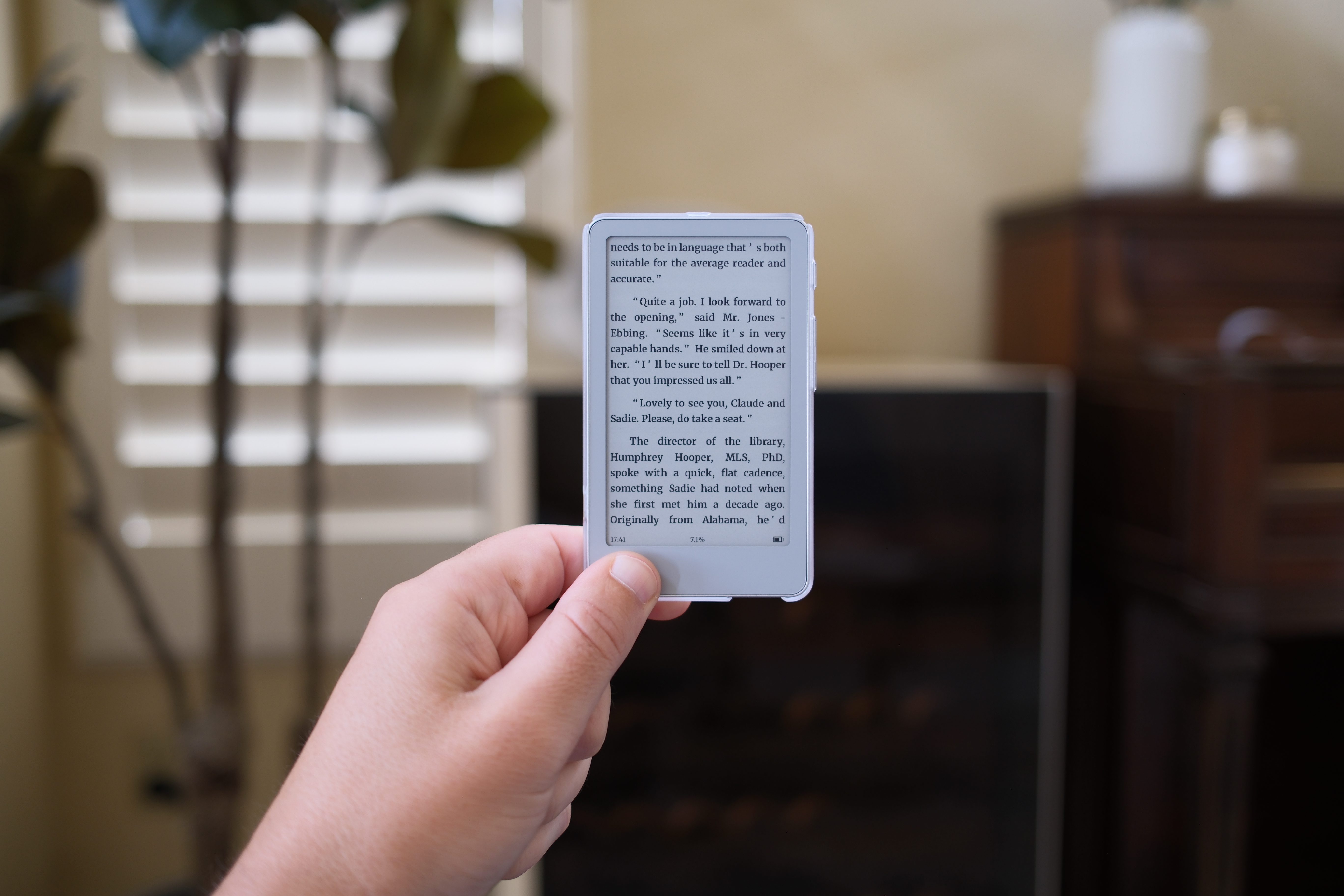
If you have a collection of e-book files in need of a device to read them on, the Boox Picco is a tempting travel companion. In fact, I would recommend it primarily to people eager to leave the house with it.
A larger e-reader is more comfortable to sit in bed with. But I've found that I take the Picco a lot more places and dip into books more often because of its petite size. It's not hard to read on a Picco while sitting in a waiting room or commuting on the train. It's probably better for you than doomscrolling.
If that sounds like something you want, then I'd recommend the Picco. However, if you exclusively use the Kindle bookstore, then I'd probably recommend sticking with a device that can use the Kindle app, like the Boox Go 7, which runs Android and can run various reading apps.