
This kid-friendly iPod alternative just got a major upgrade, and I think it’s worth the money
The new Yoto Mini 4 doubles its storage and adds an intuitive way for kids to access their favorite audiobooks, music, and stories.

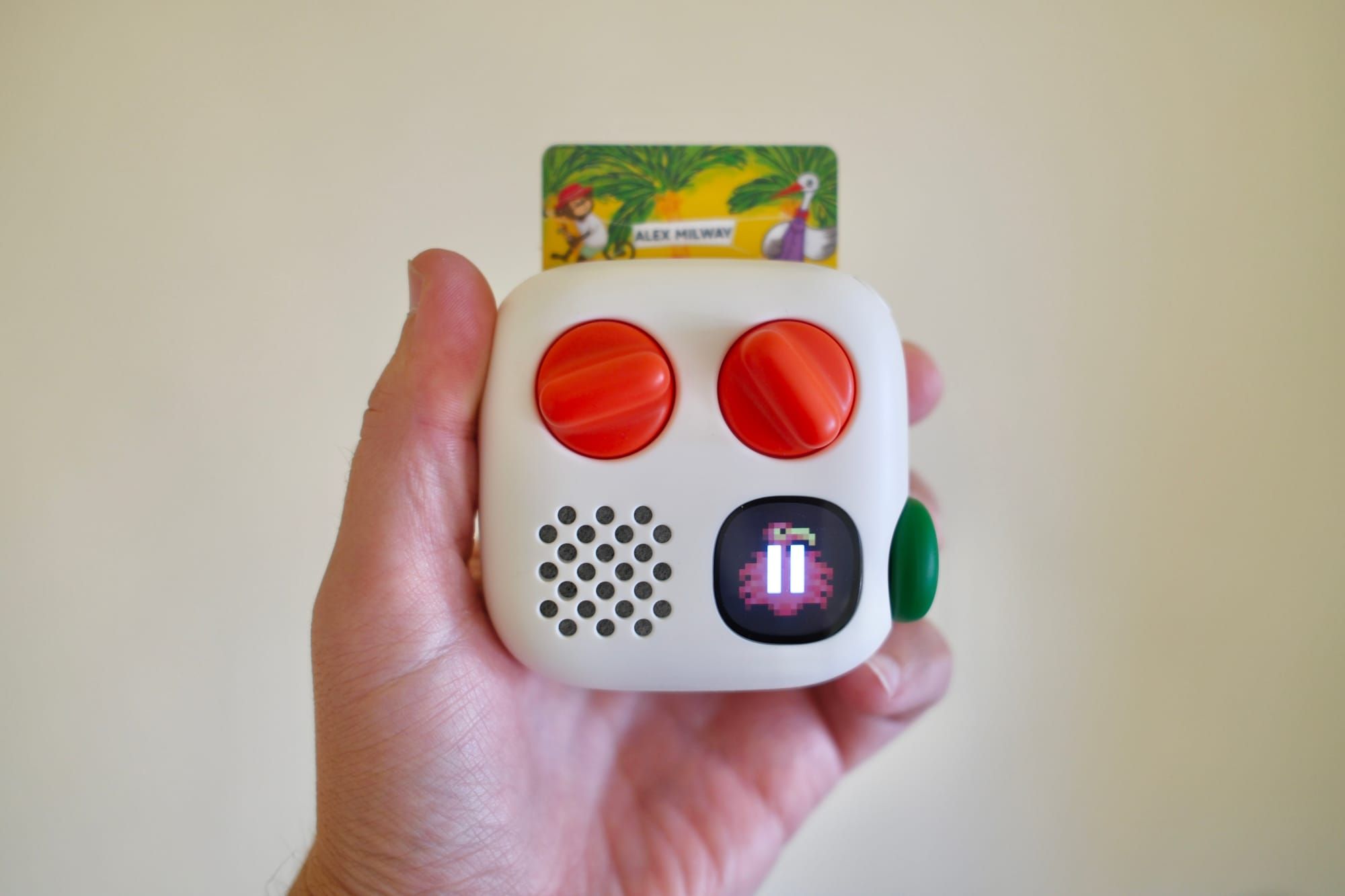
Despite Millennials’ pleading, it doesn’t seem like Apple is likely to start making iPods again. But that doesn’t mean there isn’t a modern, charming music and audiobook player out there for younger kids that they can use to listen and learn. The new Yoto Mini 4 is a portable handheld player with a headphone jack, Bluetooth, and a built-in speaker. It’s made for kids, but it’s convenient for parents.
The company has been making these devices for a while, but this new 4th-gen version has a few small tweaks that now make it indispensable. Namely, the “green button,” acting as a collection of favorites, fully taps into this device’s potential as an always-ready media library.
I’ve spent time with several of these devices over the years, and this new one is the best yet. Of course, my daughter never really let me hang on to them for too long. I think it speaks to the power of Yoto that, even as she’s grown out of the target age range and has a phone and iPad, she still reaches for the Yoto Mini to listen to books.
There are two specific ways the Yoto Mini 4 levels up
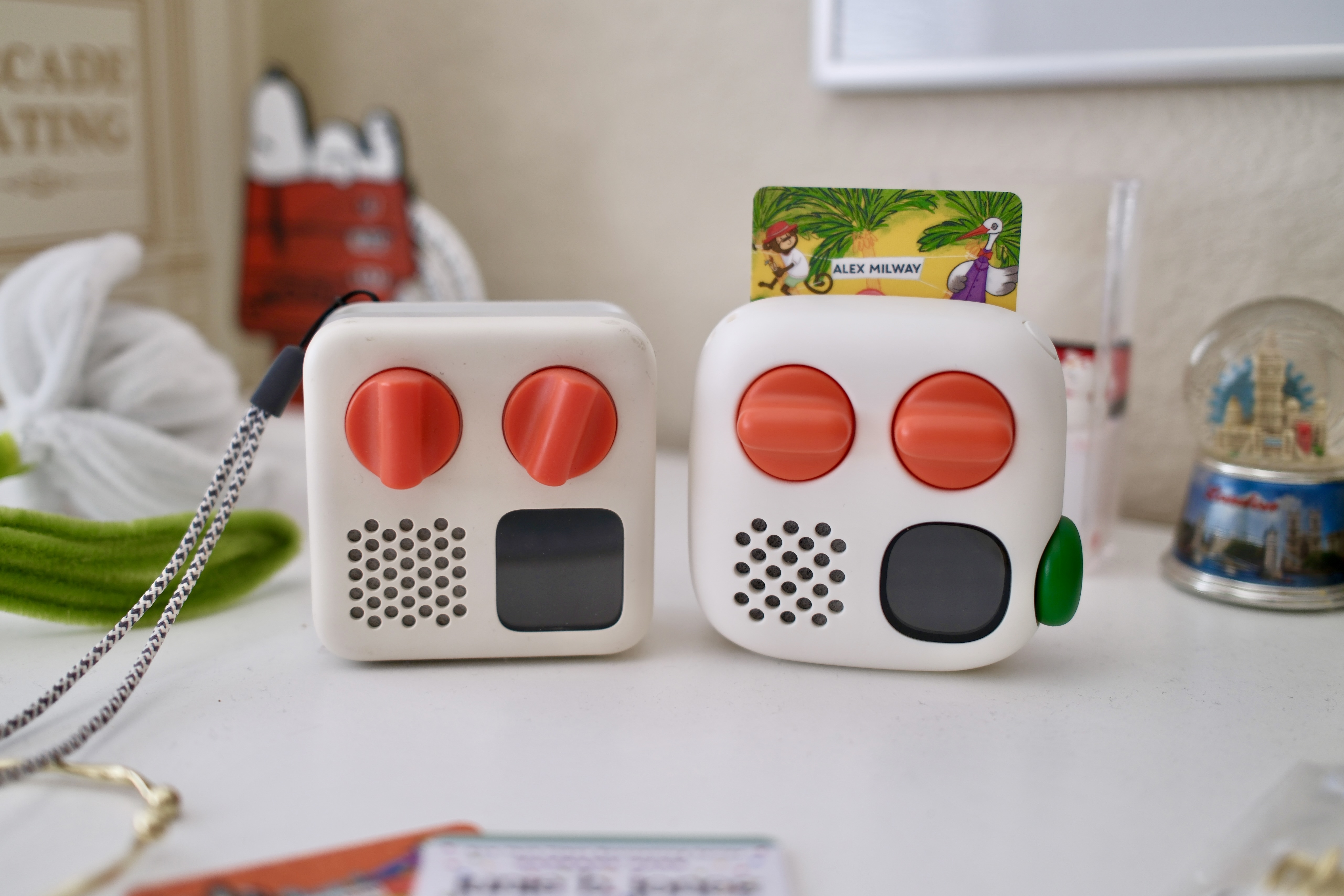
The most obvious upgrade of the new Mini 4, over the previous model, is its green button. It can be twisted and pressed. No matter what you’re listening to, you can twist the green button, and it will scroll through your list of favorites, represented by icons on the screen. Press the button to play the title. It’s intuitive and easy to use.
Parents can assign content to the green button through the Yoto app. Any cards you’ve played on the device will show up in the app. When they're added to the green button playlist, they're downloaded to the Yoto Mini 4 automatically.
That brings me to the other key way the Mini 4 levels up. This new device now has double the storage, which brings it to 64GB of internal space. Yoto says this is enough for more than 1,000 hours of audio content. Theoretically, kids could listen for two hours a day without repeating any content for 500 days.
More storage for audio content along with a faster way to access that content is at the heart of what makes the Mini 4 so good.
A modern media player under the hood
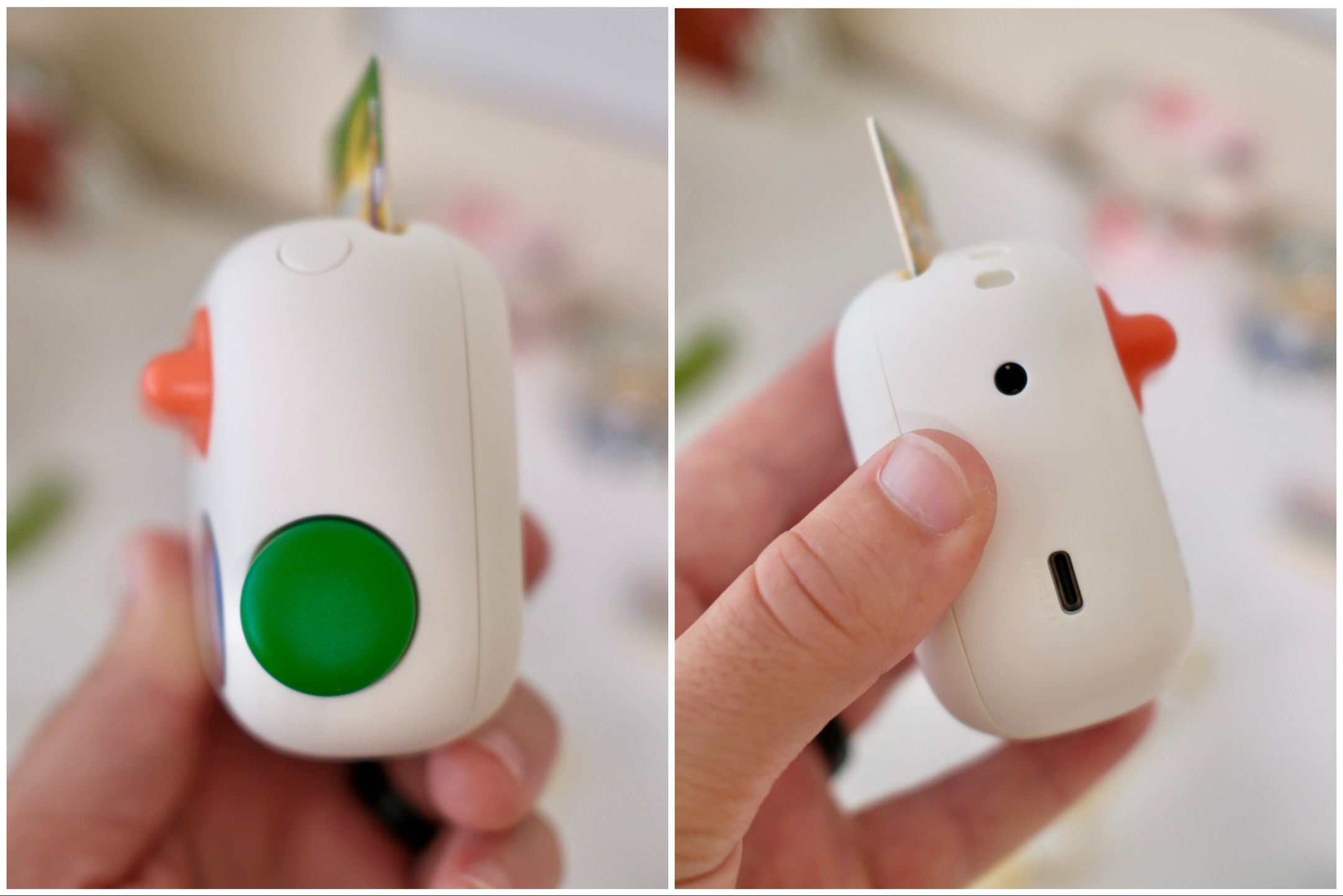
The extra storage isn't the only tech spec worth mentioning. The Mini 4 also has dual-band Wi-Fi 6, Bluetooth LE 6.1, an IP67 dust and water resistance rating, USB-C for charging, and 16 hours of listening time.
Thankfully, there’s also a 3.5mm headphone jack for wired headphones. It's great that Bluetooth for wireless headphones is available, but parents in the thick of travel or a busy day know that any audio or video player made for kids needs a wired connection.
The Yoto app has parental controls and settings for volume limits and all the fiddly parts, if you want to noodle on those things.
I’ve found the Yoto mobile app to be quite good. And not just fine, but actually good.
On iPhone, the app is responsive and well laid out. Even for non-technical folks, it shouldn’t be confusing. And, if for some reason, you need to, you can play the audiobooks from the app too.
A portable device that can be used at home
The Yoto Mini 4th Gen is one of two new devices available. The other is the Yoto Player 4th Gen. This one has a larger display and a louder speaker.
The Yoto Mini 4 is clearly geared towards travel and easy movement, while the Player 4 is aimed at home life. The thing is, I think both are fine for either situation.
The volume of the Mini 4 is plenty loud and audible for multiple kids to gather in the living room and listen. The main consideration in choosing between the two is the size and the night light.
The larger Player will show bigger, easier-to-see images on its display. It also has a full-panel light on the back, so when it's flipped over, it can be used as a night light.
The Mini 4 trades those things for a lower entry cost and more portability.
Is the Yoto Mini 4 worth buying?
For $110, the Yoto Mini 4 is a solid value. It isn’t a dumbed-down piece of hardware for kids. It’s not an ultra-cheap Android tablet that's slow and buggy.
Instead, the Mini 4 is well-considered, intuitive, and a delight to use. It should last through those young, chaotic years.
The piece of the financial puzzle that’s worth mentioning is the cost of the audiobook cards. While they aren’t overly expensive as one-off purchases, the $12 to $22 book prices do add up. So, as easy as it is to load up a Yoto Mini 4 with great, imaginative content, it will come at a price.
I know from first-hand experience that when a child asks for a book, it’s really hard to say no to feeding that kind of learning. If this product is tempting, then be sure to build in the cost of some books. (Yoto does have a site dedicated to audio content, including highlighting free stations and public domain books like The Adventures of Tom Sawyer.)
But in terms of the new Mini 4 itself, it’s fantastic—a true triumph for kids.