
There’s one sports app all iPhone users need, and it’s completely free
The Apple Sports app is now the best all-in-one place to track all your favorite sports, teams, and athletes.

Watching live sports on TV can be tricky with all of them spread across different streaming services. But that doesn’t mean you can’t keep track of how all the teams you care about are performing.
Apple’s Sports app is free for iPhone users, available in the App Store, and has blossomed into a deep well of scores and sports information. The app originally debuted just over two years ago, in early 2024. If you haven’t tried it yet, you’re missing out. Among other sports, it’s a perfect way to follow Formula 1, MLB, NBA, and MLS.
The newest features of Apple Sports
When Apple Sports debuted, it was a bare-bones way to see scores from a few sports leagues. In the years since, it has gained more features as well as more leagues and sports to follow.
Just in 2026 alone, the Sports app has added support for tracking the FIFA World Cup (June 11 through July 19), PGA and LPGA Tour events, an in-app bracket for the NCAA March Madness Tournament, and probable starting pitchers for MLB games.
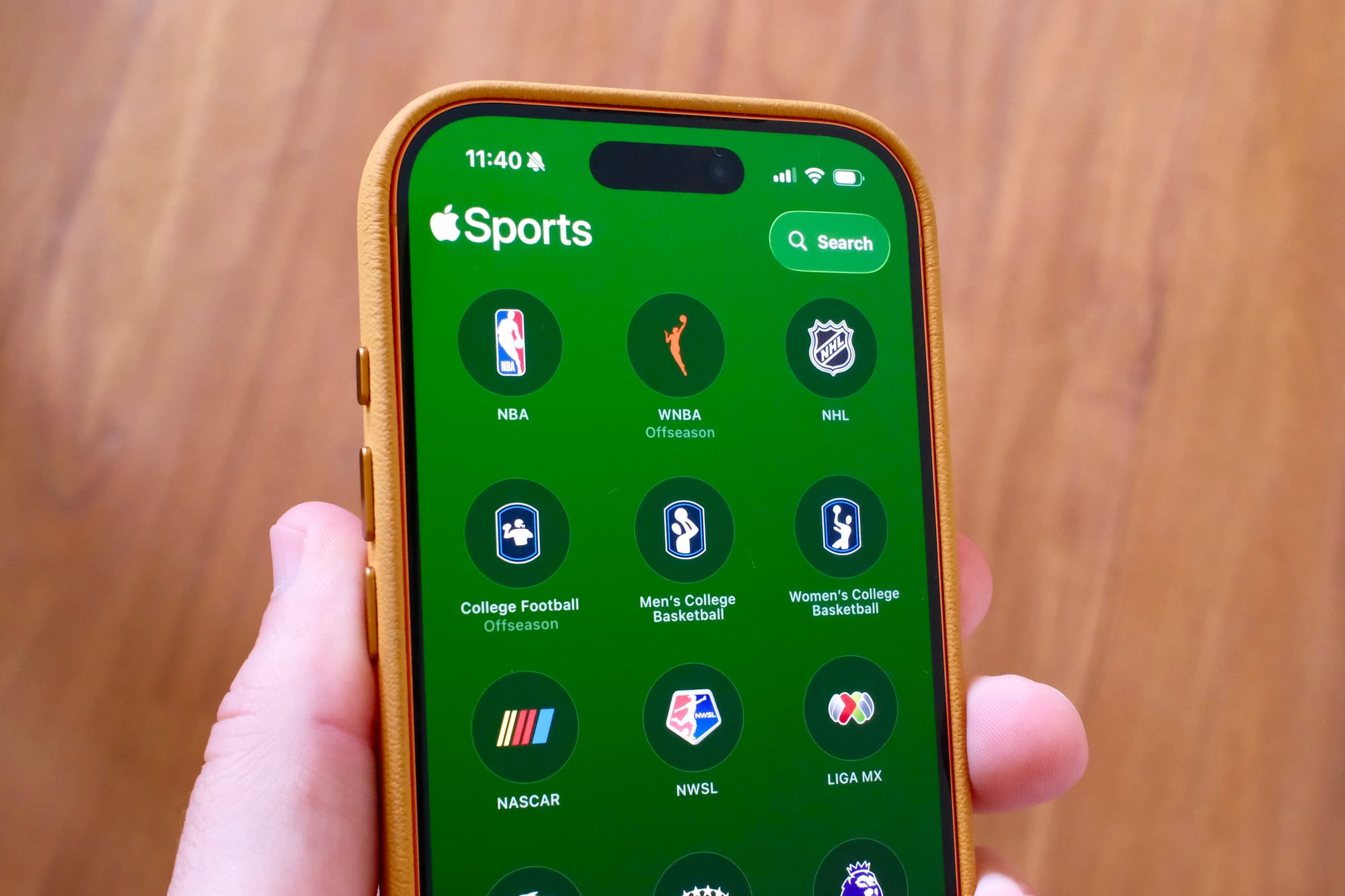
Those features add to the existing sports you can track in the app. Now, there’s support for:
- NBA
- WNBA
- NHL
- College Football
- College Basketball (men’s and women’s)
- NASCAR
- NWSL
- PGA and LPGA Tour
- Tennis (men’s and women’s)
- MLB
- MLS
- Formula 1
- NFL
- FIFA World Cup 2026
- LIGA MX
- Champions League (men’s and women’s)
- Premier League
Where applicable, across various sports, there will be league standings and athlete rankings. There are schedules for the current day as well as future and upcoming events. Once you follow a team or event, you’ll get a new tab in the Sports app that you can swipe through, left and right.
Speed and Live Activities are the app’s highlights

The number of sports leagues to track is important. But the key part of tracking your favorite teams is speed and notifications. This is where Apple Sports excels.
The app’s original mandate was speed. From the original press release, “We created Apple Sports to give sports fans what they want —an app that delivers incredibly fast access to scores and stats,” said Eddy Cue, Apple’s senior vice president of Services.
This means that sometimes the scores are available before the TV broadcast. If you’re at the game, you can have faith that the app is updating in near real-time, as soon as possible.
Notifications are the second half of speed. Sports supports Apple’s Live Activities, so either on your homescreen or in the Dynamic Island at the top of your screen, you can continually see the live process of a game or event. Basketball games will show the game clock counting down the seconds. MLB games will update with each pitch thrown and the batter’s result.
More recently, you can track F1 races using Live Activities so you can see the top three drivers and their exact times.
MLB and other sports apps have embraced Live Activities, too, but so far, I prefer Apple’s design and information density. It also means that I don’t have to download several different apps to keep track of various teams and leagues if I’m only interested in the progress and results.
And if you’re into widgets on your homescreen, Sports has those. You can set glanceable widgets for your favorite teams or for specific leagues.
Is Apple Sports worth downloading?

Apple Sports is a free App Store download available for iPhone. In fact, right now, it’s only available for the iPhone, without support for iPads or Macs.
You can’t use Sports to read about your favorite team. You can’t use the app to watch games or stream videos. So, if you want a sports super app, then this isn’t it. But I think that’s why it’s so good. It’s not bloated or bogged down by superfluous items. The most ancillary part is probably the betting odds that appear on some game screens. Those can be turned off in the settings. If you do want sports news, the Apple News app has that information.
Apple Sports is really good at tracking scores, and it’s a free download. It’s slowly becoming one of my favorite apps that I use regularly. There’s no reason not to get it and try it out.