
Smart glasses with a screen in the lenses are the future, but the details are fuzzy
Hands-on with the RayNeo X3 Pro smart glasses. The future of wearable tech still includes a screen in—or on—your face.


My wife asked me why I was wearing weird, thick glasses, and, in her words, “Not the cute kind.” I already knew the RayNeo X3 Pro smart glasses weren’t sleek or invisible. But before her comments, I thought I might be able to sneak by without many people noticing them. After her comments, I realized it wouldn’t be that simple. Although the X3 Pro have a built-in screen and go well beyond what the basic Ray-Ban Meta Smart Glasses can do, they are also much more “techie.”
I’ve spent plenty of time wearing the RayNeo X3 Pro, seeing what they’re capable of. But I’ve also spent plenty of time contemplating whether they’re worth wearing. The functionality they offer is certainly what the future looks like, but the details of that future are still a bit fuzzy.
This is what smart glasses are capable of
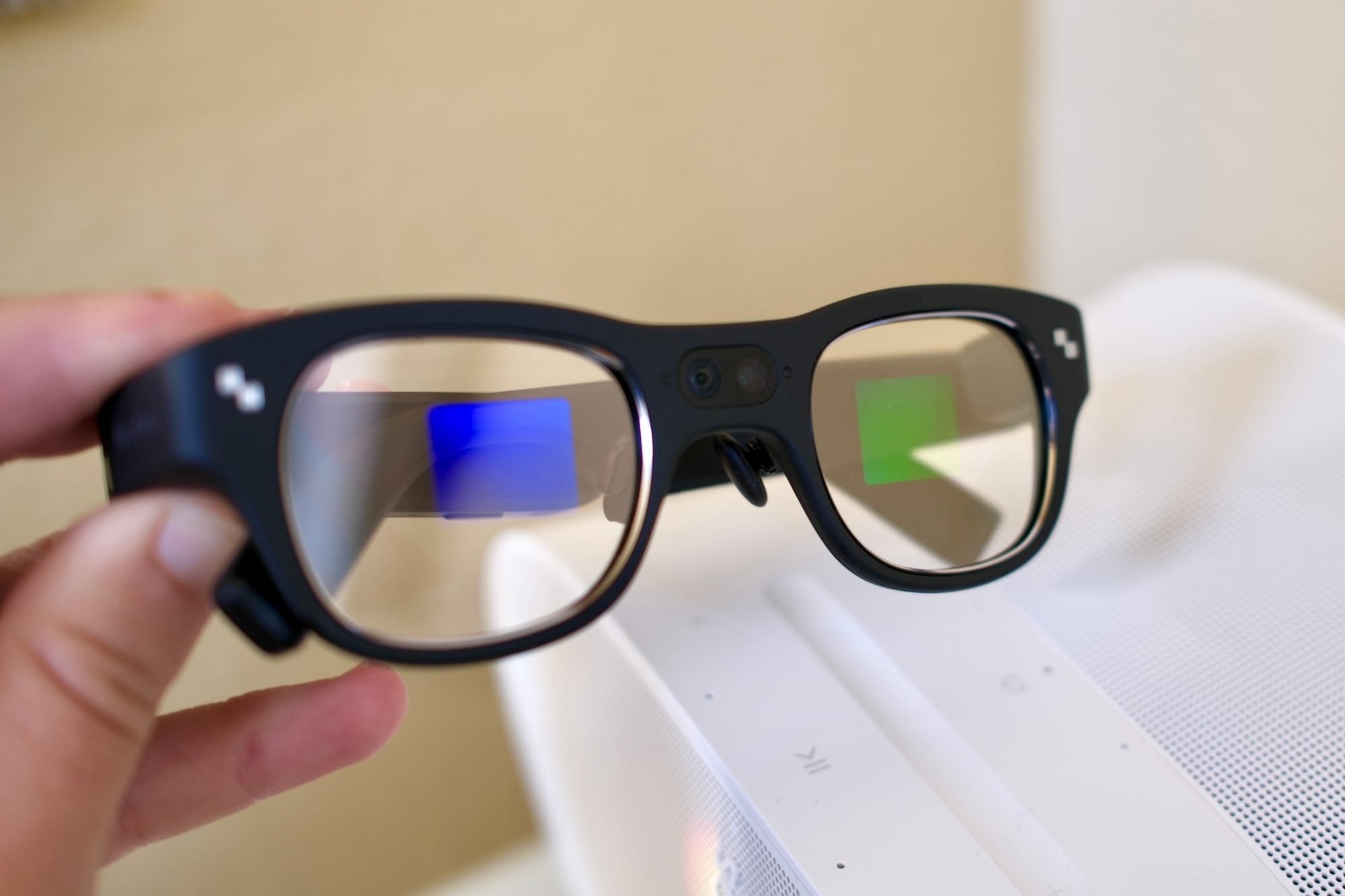
If you’re an observer, the RayNeo X3 Pro glasses look chunky and have a noticeable camera front and center. They don’t look especially friendly. That’s only half of the story. From the wearer’s perspective, they feel like regular glasses. But they offer a floating color screen of information right in front of you. Icons are lined up along the bottom, and when an app is opened, it fills a lot of your field of view.
The specs include a micro-LED with litho-etched RayNeo waveguide, up to 6,000 nits of brightness, and a Snapdragon AR1 chip. They have a resolution of 640 by 480 pixels. The glasses weigh 2.68 ounces.
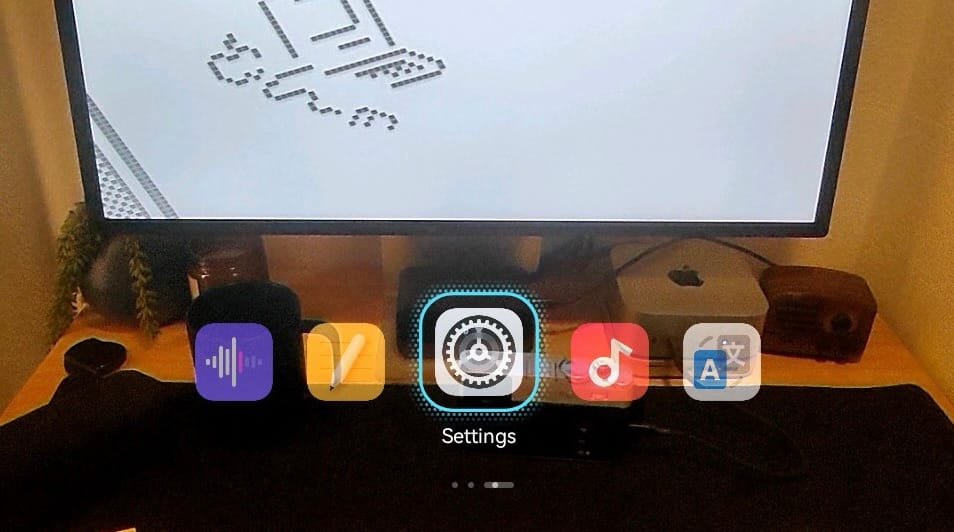
The X3 Pro glasses come loaded with apps for navigation, translation, taking pictures, viewing images, and viewing notes, among a couple of other things, like Google’s Gemini AI assistant. They offer the ability to see certain notifications from your phone, including an iPhone.
All of those things are available in some way on a mobile phone, but they’re all exciting to see in your view without occupying your hands or breaking your current task.
Language translation is probably the coolest feature of these glasses. Since they have a camera, they can see signs and then overlay words in your preferred language. They can listen and translate words from audio too, but having the entire transaction happen without speaking is what feels powerful.
I found no use for the teleprompter feature, but it’s impressive to see words crawl in front of your eyes while you scroll at your own speed from the RayNeo mobile app.
The on-glasses navigation is tricky, but usable
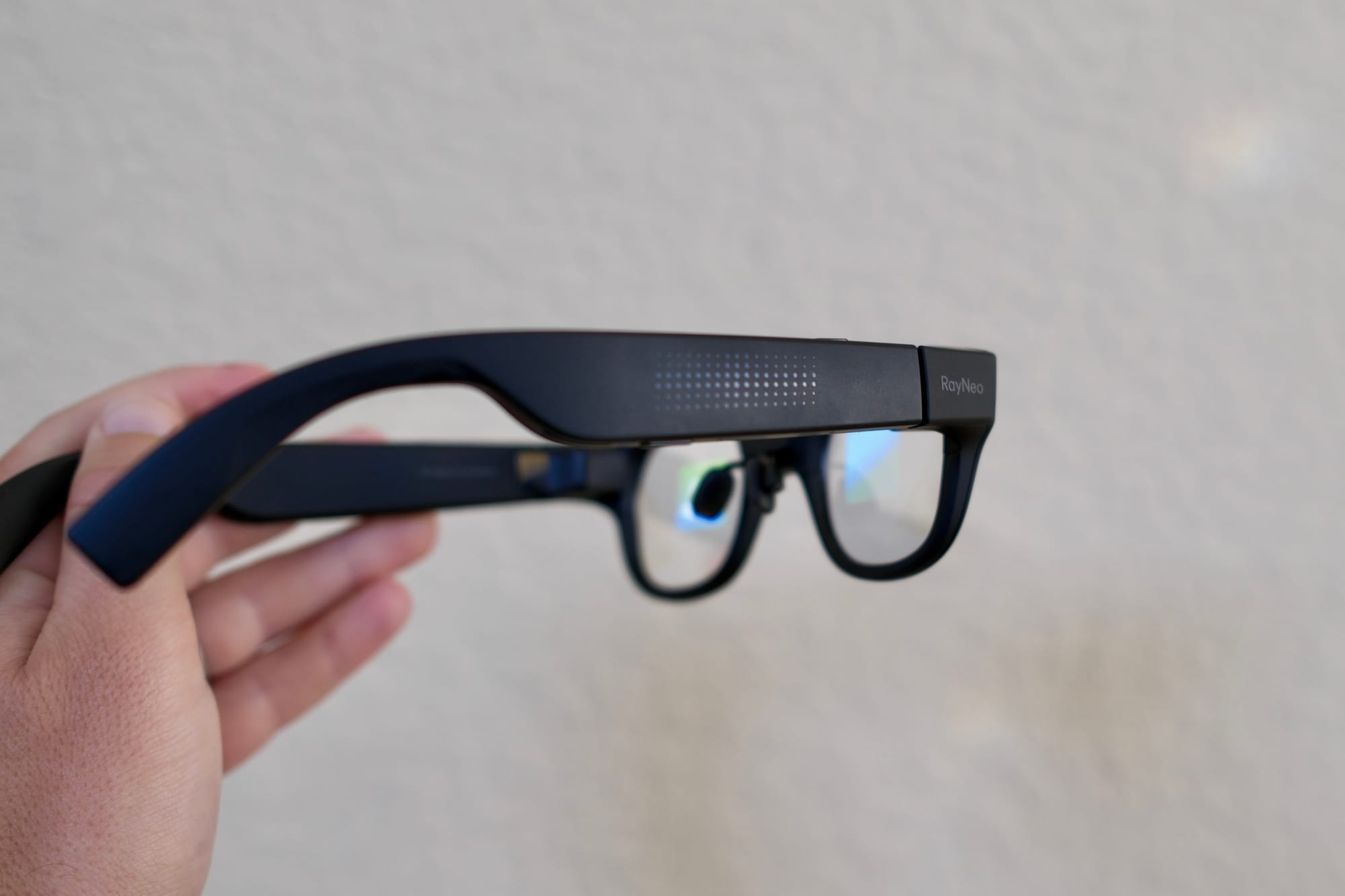
To use apps on the smart glasses, you use a combination of buttons and touch-sensitive areas. It isn’t ideal compared to Meta’s gesture-detecting wrist band. The major concern is that there are a lot of things to remember.
There’s one button that can be customized to trigger any app you want. There’s a sleep and wake button. Each side has a touch-sensitive area. The area on the right can handle left, right, up, and down swipes, along with taps, double taps, and press and hold. That’s a lot.
If you use the glasses frequently, I have no doubt it will become second nature. It took me a couple of hours to get more comfortable with the gestures. Although the interface is pretty linear, moving left and right, you can get tripped up with the menu “down drop” that uses the press-and-hold command to find.
One thing I don’t quite understand is the AR, or augmented reality, portion of this product. I haven’t seen any way that the glasses have augmented my reality. I may be missing something, but like many smart glasses that aren’t beholden to loose terminology, the AR label here is just marketing.
The battery life is the second major concern
Once I became more comfortable wearing the X3 Pro glasses, I started seeing more of the future. I started to like how it felt to have information flashed in front of my eyes when I needed it. The problem is that the more you like the glasses, the more you want to use them, which isn’t great for battery life.
The good news is that the X3 Pro glasses use a standard USB-C port. It’s right there at the end of the glasses stem and doesn’t need a dongle or anything. The bad news is that you still need to plug them into a cable, instead of just popping them into their case to charge. There’s no battery in the case.
I don’t think we can have it both ways: getting slim, sleek, smart glasses, and a non-proprietary way to charge them. So, the USB-C port here is fine, but it won’t make everyone happy.
In terms of battery life, it really depends on what you’re doing and how much they’re being used. They’re rated for five hours, but that seems very generous on a normal day. On the most aggressive side, I think I burned down the battery life in a little over an hour. With more casual use, I could get several hours.
But again, with the techie, non-fashionable look of the X3 Pro, I didn’t find myself wearing the glasses unless I was going to be using them. So, whenever I was wearing them, I wanted to put them to use. If they looked more subtle and less obvious, then I might have worn them all day.
Are the RayNeo X3 Pro smart glasses worth spending money on?

For as many flaws as the RayNeo X3 Pro smart glasses have—and they have plenty—they’re clearly part of the future. I was legitimately blown away by the sights these offered the first time I put them on. Even two months later, I’m still impressed.
Very few people should buy these right now. They retail for $1,299 and are currently being sold for $1,099. They feel like a tech demo done at a very high level. Still, enthusiasts desperate to understand how personal AI, object identification, and wearable tech will evolve will probably still want them. These glasses are the best way to peek at that part of the future right now.